
How to install and use the apps on your Android or iPhone device.
Step 1:
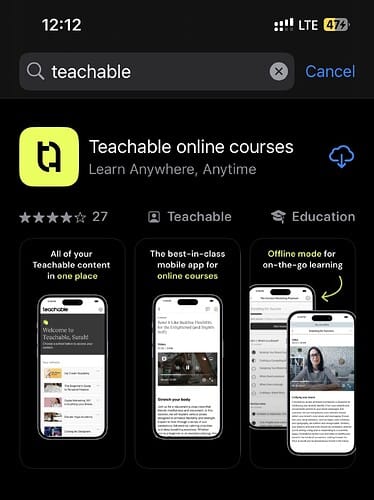
Go to the Google Play Store or Apple App Store on your device. Search for “Teachable” as shown in the image below and install the app.
Note: Teachable is the platform that hosts the BMG Academy and all its business courses and content.
Step 2:
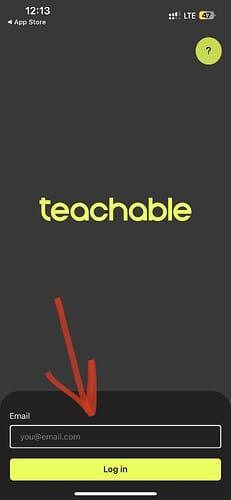
Open the Teachable app on your phone and enter your email in the section shown by the arrow in the image below. Then click the green login button.
Note: A 6-digit code will be sent to your email. If you don’t receive the code, it’s likely your BMG Academy membership has expired. Please click here to renew your membership and regain access to all the courses and lessons.
Step 3:
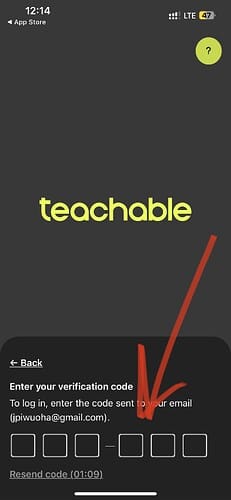
Enter the 6-digit code that was sent to your email in the space provided in the app, as shown in the image below.
Step 4:
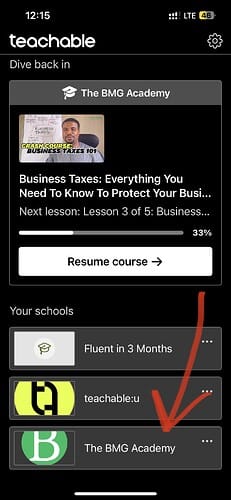
On the next screen, click on The BMG Academy school to see all the courses and lessons. You can start watching any course or lesson you want.
Step 5:
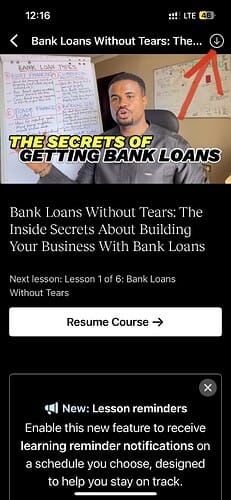
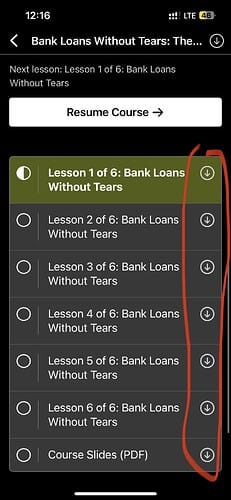
To download any course or lesson, click the circle (with a down arrow) in the top-right corner of the app, as shown in the images below.
To download one course or lesson:
To download several courses or lessons:
Step 6:
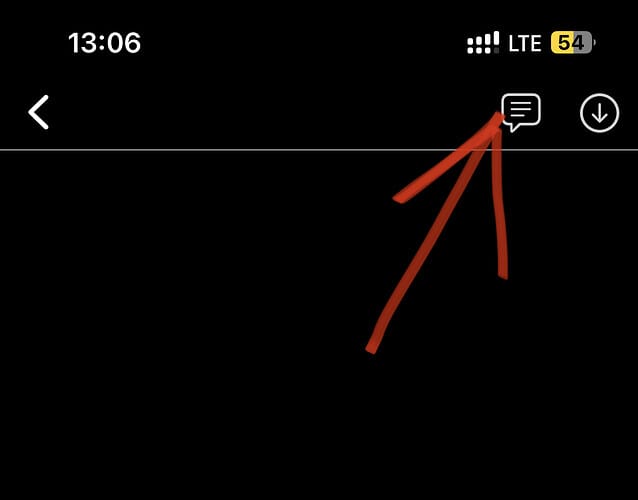
To ask questions, make a comment, or leave feedback in any lesson, just click the message icon in the top right corner of the lesson, as shown in the image below:
Facing challenges? Have questions?
Contact
If you’re unable to complete any of the steps above, please use any of the links below to reach out to us:
- Click here to send us a DM on Telegram.
- Click here to send us a DM on WhatsApp.
- Click here to send us an email.
Thank you.
Last update: This page was last updated on 22 December 2025.